How our content template works.
You will see that the page template system we have developed will make putting your school magazine content together easy.
Your page template will be specifically adjusted to your needs.
You can download our generic content template here. Download >>
Included you will receive:
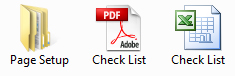
A file with page folders
A check list in two formats:
• PDF for printing
• Excel spread sheet to complete electronically
You can use which ever one is more convenient for you, to keep track of your images and text for each page.
STEP 1:
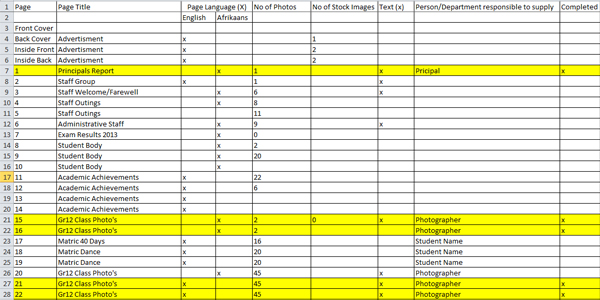
We will send you a generic checklist based on your requested requirements. Fill in your specifications on the check list. This allows you complete freedom to pick your content for each page.
As soon as you have completed this, please email it back to us. We will then create your custom folder structure according to your specifications, and email this to you. Once you have received this, proceed to step 2.
STEP 2:
The folder structure for the page setup of your magazine:
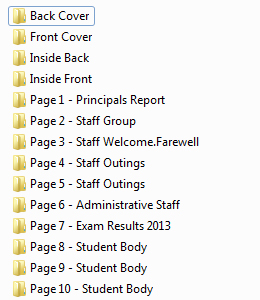
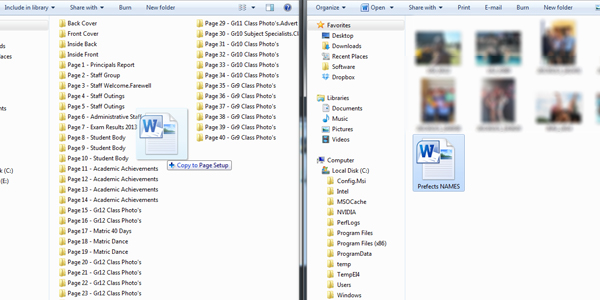
Once you have received this, it is as easy as dragging and dropping your content into the relevant folder. As soon as you have completed a folder, go to your check list and mark it off, in order to keep track of what has been completed.
Drag your content to the specific folder.
Mark it off on the checklist once you have all the content for the page.
Please refer back to the pricing page to make sure you supply the required amount of content before the cut-off date.
Requirements for text
Please keep in mind that if you have a lot of images on your page, it is a good idea to keep copy to a minimum. Also please remember to spell check all your text before supplying to us – you will receive your magazine for proof reading once design is complete, but this will save you time and effort later in the process.
Text can be supplied in a word document format. Please do not insert images into this document, as the quality for printing images like this is not sufficient, and we will not be able to use them.
Minimum requirements for images
In order for your magazine to have the best possible print quality, images ideally needs to be supplied in the following formats:
- Jpeg
- 300 DPI, as large as possible
- Free of any watermarks, logos or borders
- Please let us know if you need photographers to be credited for images.
STEP 3:
Once you have completed these two steps, you have the following options:
- As these folders might be quite large containing all your content, we recommend using a site such as wetransfer.com to email it back to us. Simply insert your email address, our email address and upload.
OR
2. Contact us and we will gladly collect your content.
Sit back and relax! You will receive a copy of your magazine to proof read shortly, we will make any changes you require and then the magazine will be returned to you for final sign off before going to print. It’s as easy as that.
Remember this template is not set in stone – this is YOUR magazine and if you require changes to certain pages, or simply don’t want to include others, you can make these changes on the check list, before starting the process. Please remember we are available 24/7 to assist you and answer any questions you may have.
We look forward to producing your best school magazine ever!